Our team was struggling to come up with a way to create the assets we wanted for our large environment pieces.
The problem we had was we didn’t want to bake textures to large environment pieces the same way we have been baking the smaller assets as these files would have to be huge in order to retain a non blurry texture.
To fix this I looked at how some other games dealt with this problem. Starting with dying light.
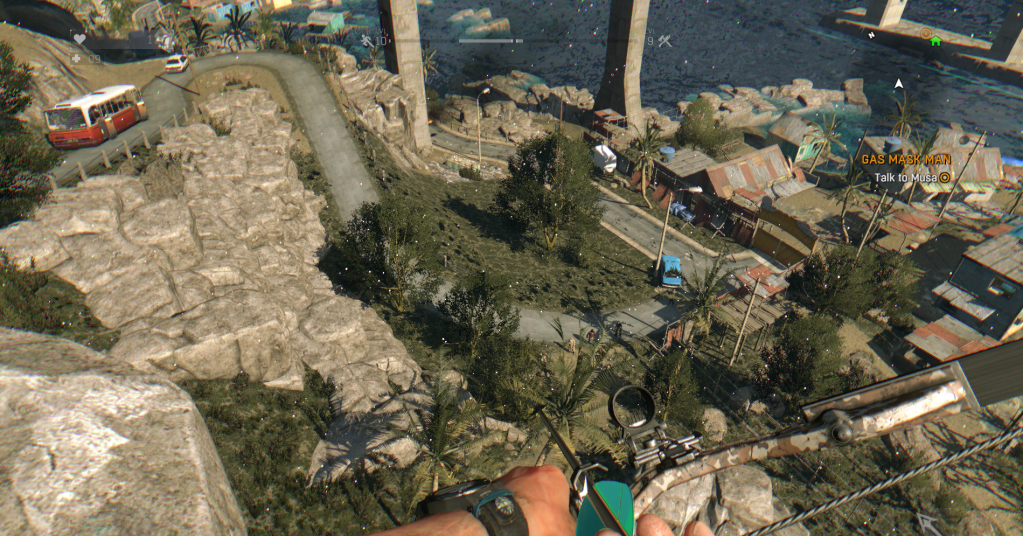
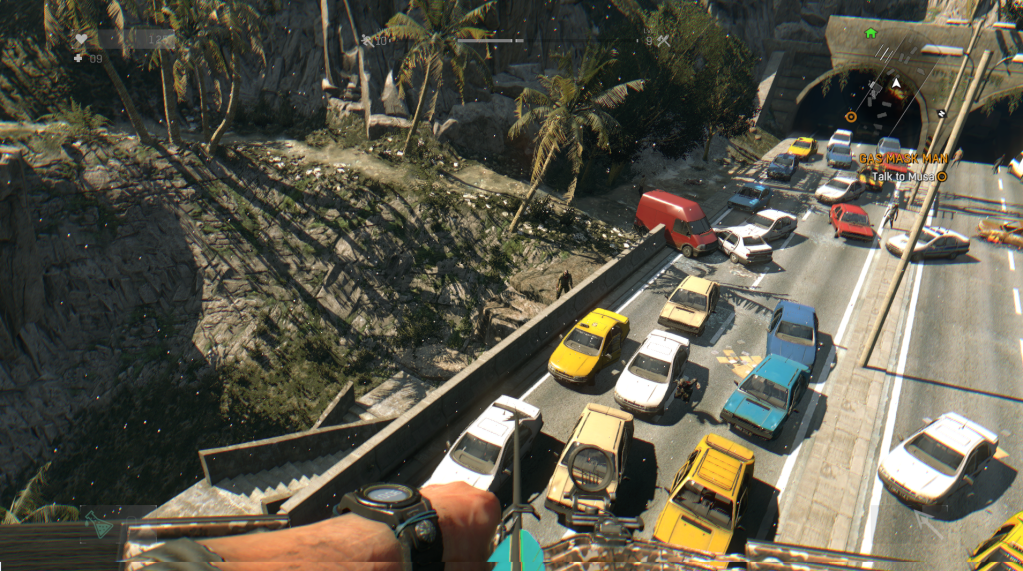
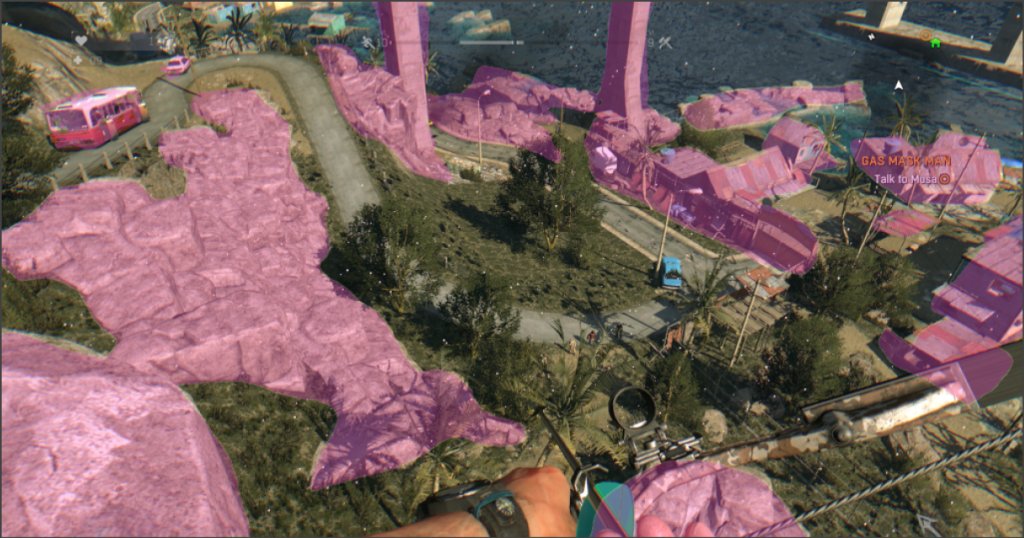
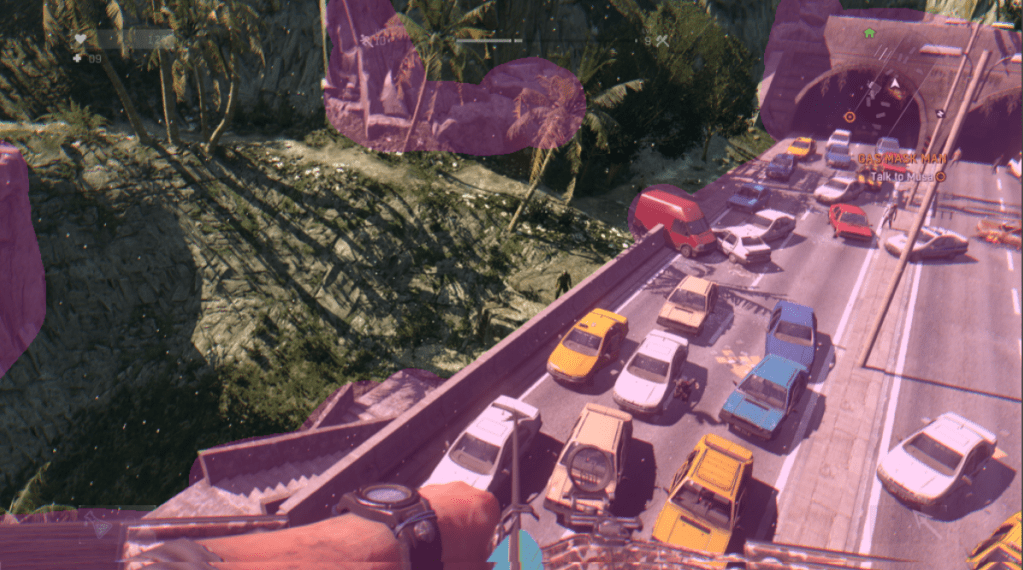
Form my analysis I concluded that Dying light uses like many games a editable flat terrain layer type 3d object, which can be procedurally textured and edited from the game engine. Unity has a similar system however it doesn’t handle vertical texturing very well and stretches textures very badly. This can be overcome by masking the stretch with other objects, but then why not just model the entire things with individual objects.
These edited screenshots highlight the props not part of the ground plane, hopefully making my explanation clearer. and the ground plane easier to see.
With my second game Dark souls 3 . It took me a while out figure out what was going on. Bit in the end I figures that a universal ground texture was being applied to the ground, and then layer with lots of extra 3D objects to hide the tiling.
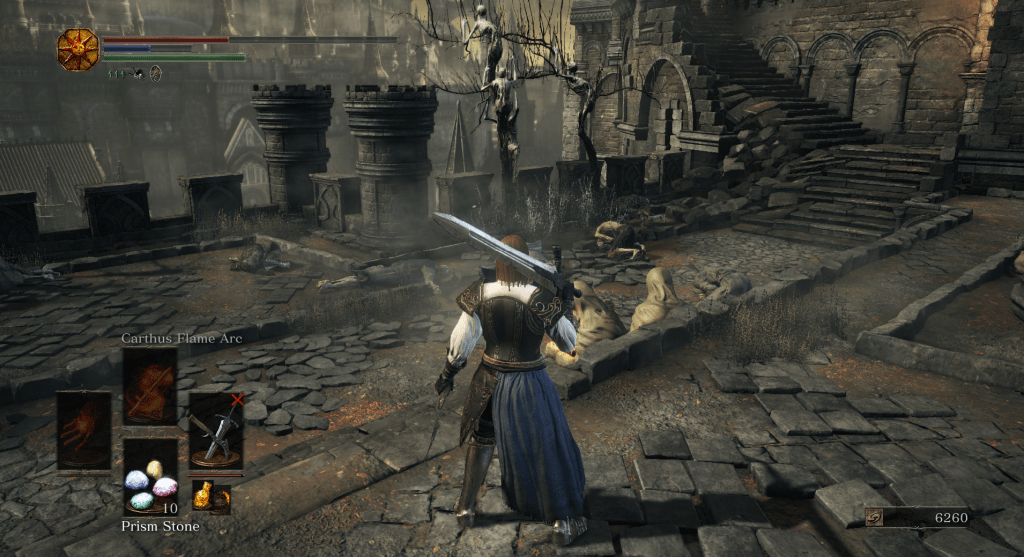
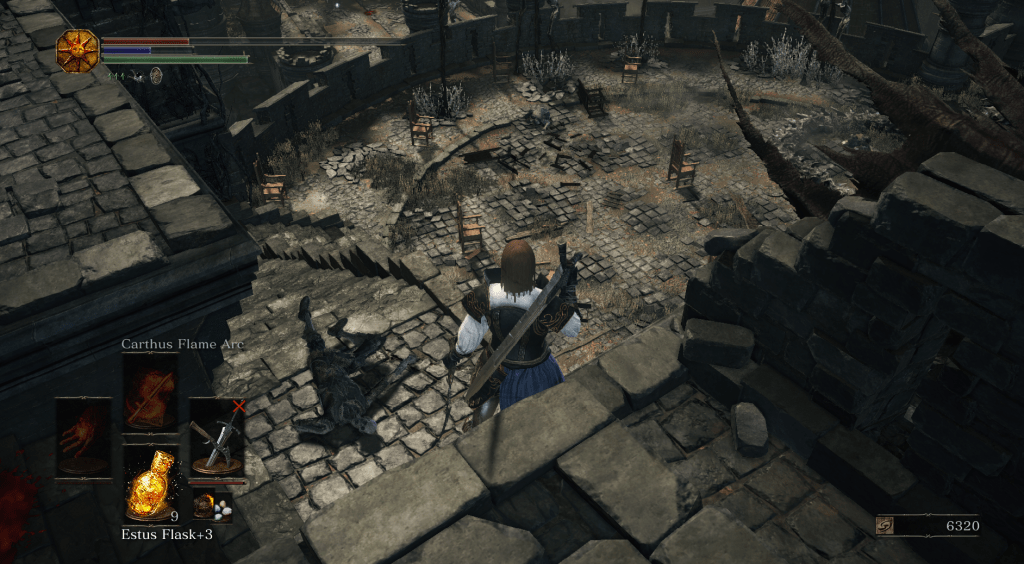
Again Edited screenshots highlighting the ground plane and the object individually, This time the ground plane itself is in yellow.
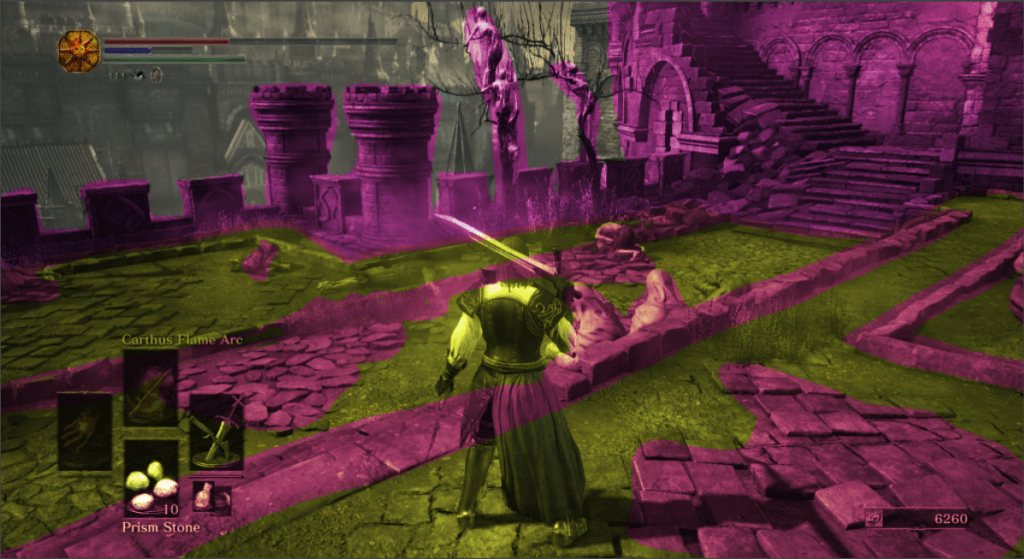
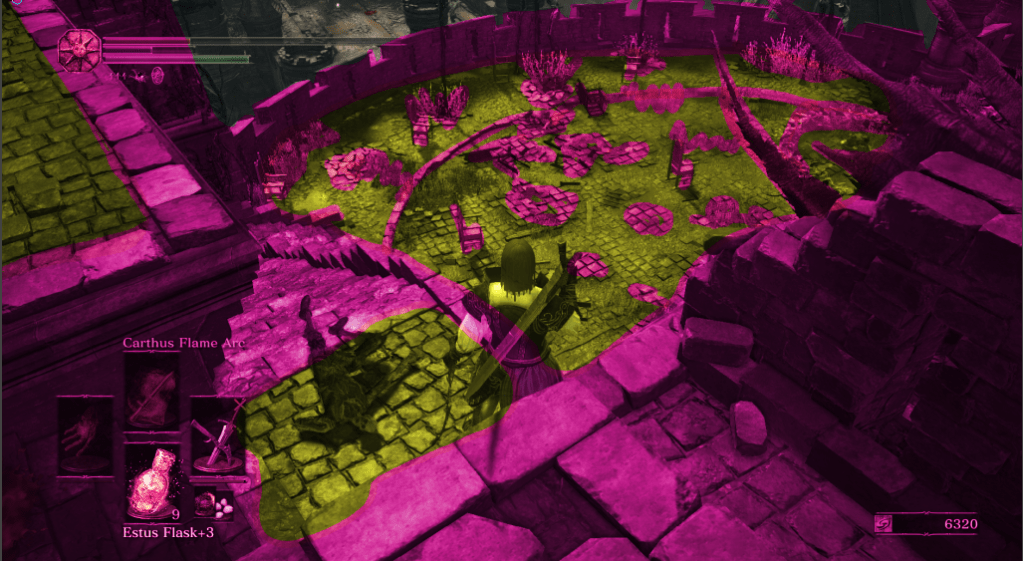
The implementation of the textures in dark souls gave me an idea for how to implement textures in our project in a way that wouldn’t involve baking any maps for our larger pieces.
As long as you are using Unity to map your textures, pixel space doesn’t matter as Unity skips allows you to skip the baking process for any maps, and apply textures directly instead. This means you project is a lot smaller, but does mean that you have to ensure all your 3D models are to scale. It also stops you from masking any seams, other than by hiding them with geometry, which is what I plan to do. I made a few iterations of experiments and I will document these below.
Checking that geometry made to scale always uses the same scale of material.

Next I made a prototype asset and populated it with some add-ons, like dark souls does, to make it look more natural.

I thought the textures were too standard. After getting feedback from my team they agreed, and I made a new texture for the environment that learnt a lot better.

The only problem with this is that it shows the seams of the materials, as unity does not have any inbuilt forms of seam masking.

We are going to move forward with this form of environment design. With the following workflow.
Model an environment piece with a blender file saved within the project. Allowing for real-time scale checks while modelling.
Create textures, scaled to look good, apply these to each asset.
Export Finished models as an FBX, and move the blender file to a backup location when your ready to build.
 ArtInTheOcean