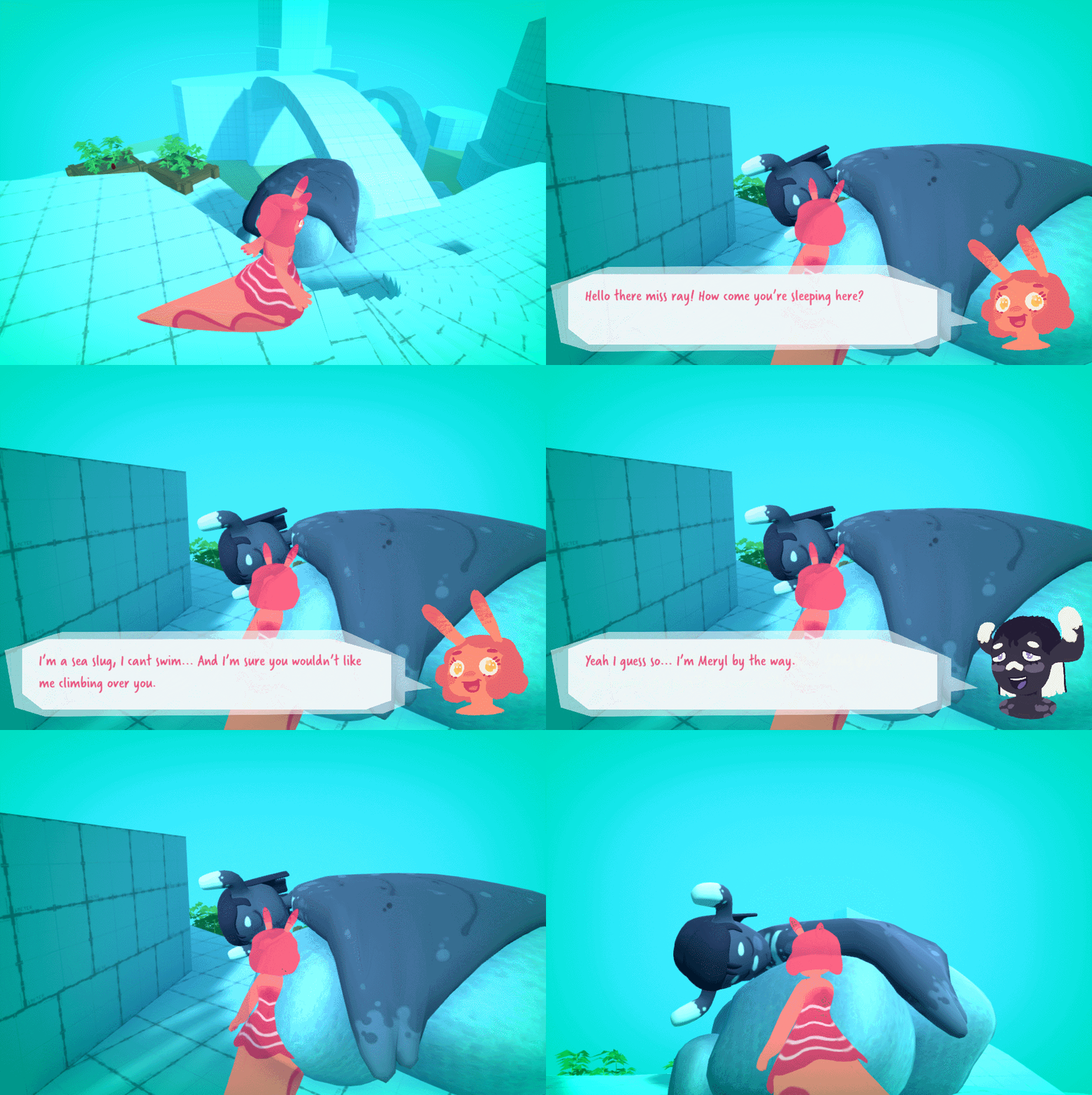
In order to fully play test the Level we wanted to implement the dialogue system so the player can be guided around the level as they will be in game.
To control the dialogue systems we came up with the idea to use an overarching level controller game object to hold scripts which control which XML file is pulled when the Character dialogue script (created by Megan) retrieves the XML data. The only change I have made to the character dialogue script itself is to change the string containing the XML path, to a list containing multiple paths. The index of this list is then determined by the Controller script.
The work is done here.
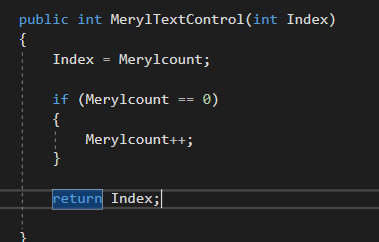
This function is called from the character dialogue controller script. It Checks if the player has already talked to Meryl. In future I will probably change this so it works in a generic way with all characters, possibly by passing in a character variable which changes the functions behavior.
A few hours later and I have done as I thought I would, and passed a character name alongside the Index
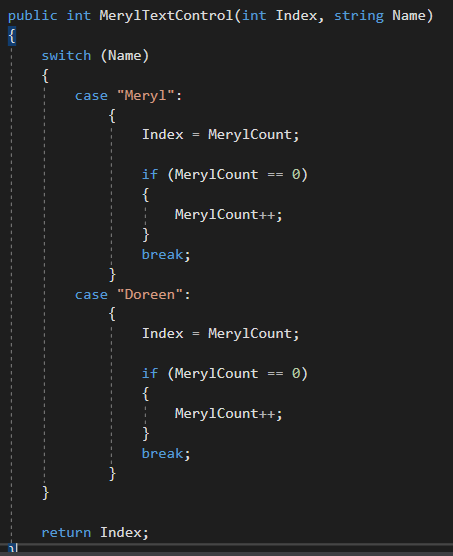
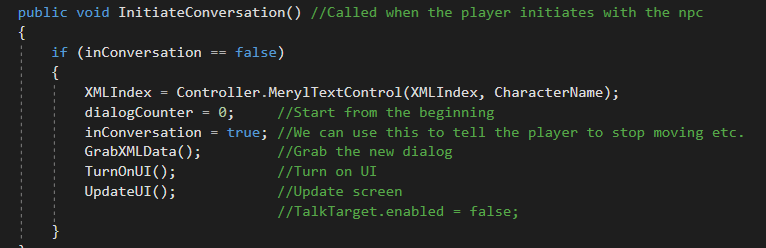
There are then some changes to the CharacterDialogue script.
The XML path is changed to a list, which is setup in the inspector to contain multiple paths.

An index used to access the list is determined when the player starts an interaction by our controller script explained above.
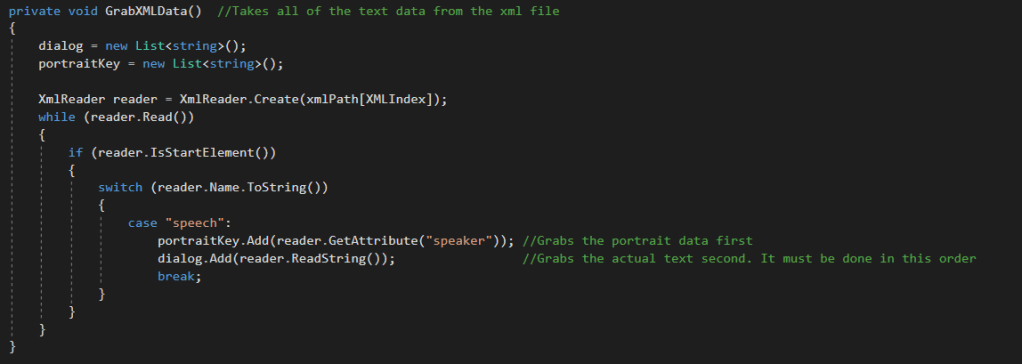
The GrabXMLData() subroutine has been slightly edited to get the string at the index we provide using the XMLIndex variable.
Next was to get the Quest Popup to appear. As shown in Shannon’s blog in the below image.

The Idea I had for implementation was to adapt parts of the CharcterDialog script to detect if this character would be giving a quest. If this was true then when we finish a conversation we also check to see if we need to start the quest popup. The popup itself will be controlled by a function in the Controller Script as later on when the character picks up quest items the controller script can handle this and change UI based on the beans.
First I add some variables to control the behavior.

Then on the part of the script than runs when a conversation is over we check if the character is giving a quest.
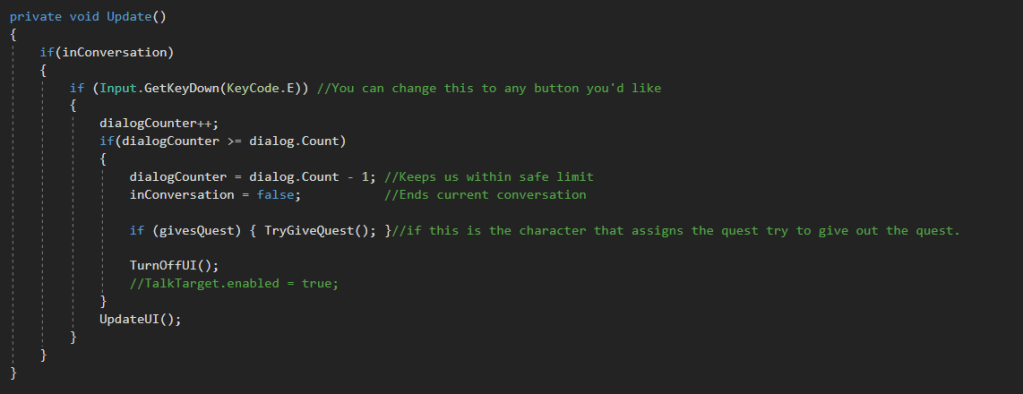
And here at the end of the script is a new subroutine that checks we haven’t already given the quest. If not we use a function from the controller script to turn the quest popup on.
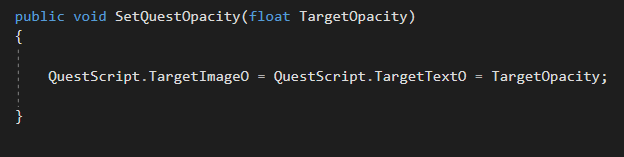
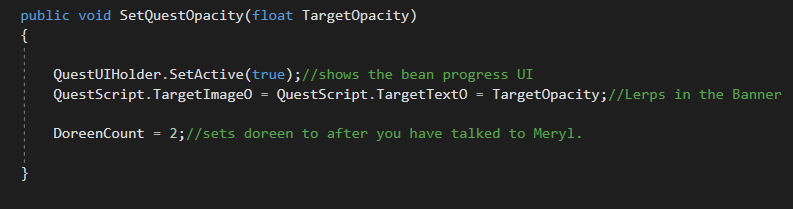
below is said subroutine, As you can see it simply updates the target opacity for the text and banner.
And below you can see how the opacity target is being continually Lerpt too in the quests control script.
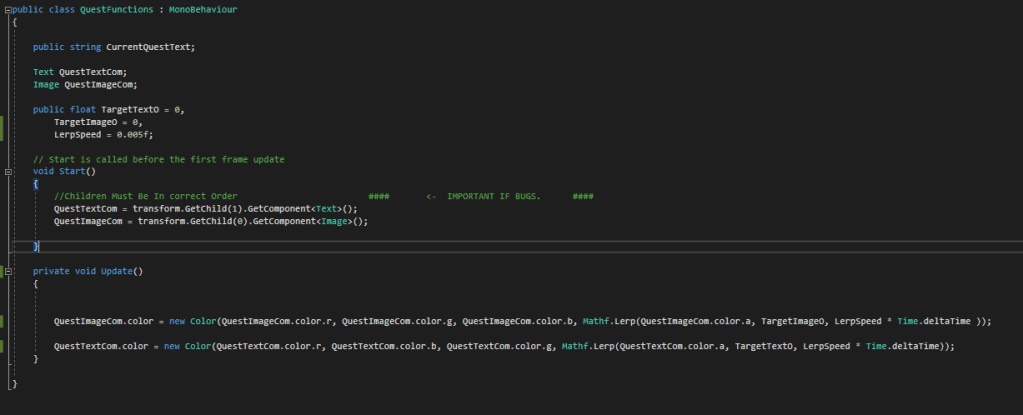
This is a rushed job (You may have noticed the code is not as organised as some of my other work.) But We have very limited time until the deadline now so getting all the functionality of the game finished is more important than clean code right now.
We also won’t really be punished for it as most of the problems would arise from wanting to reuse this code in future scenes. However We are only developing a virtual slice.
This is the result of the quest popup.
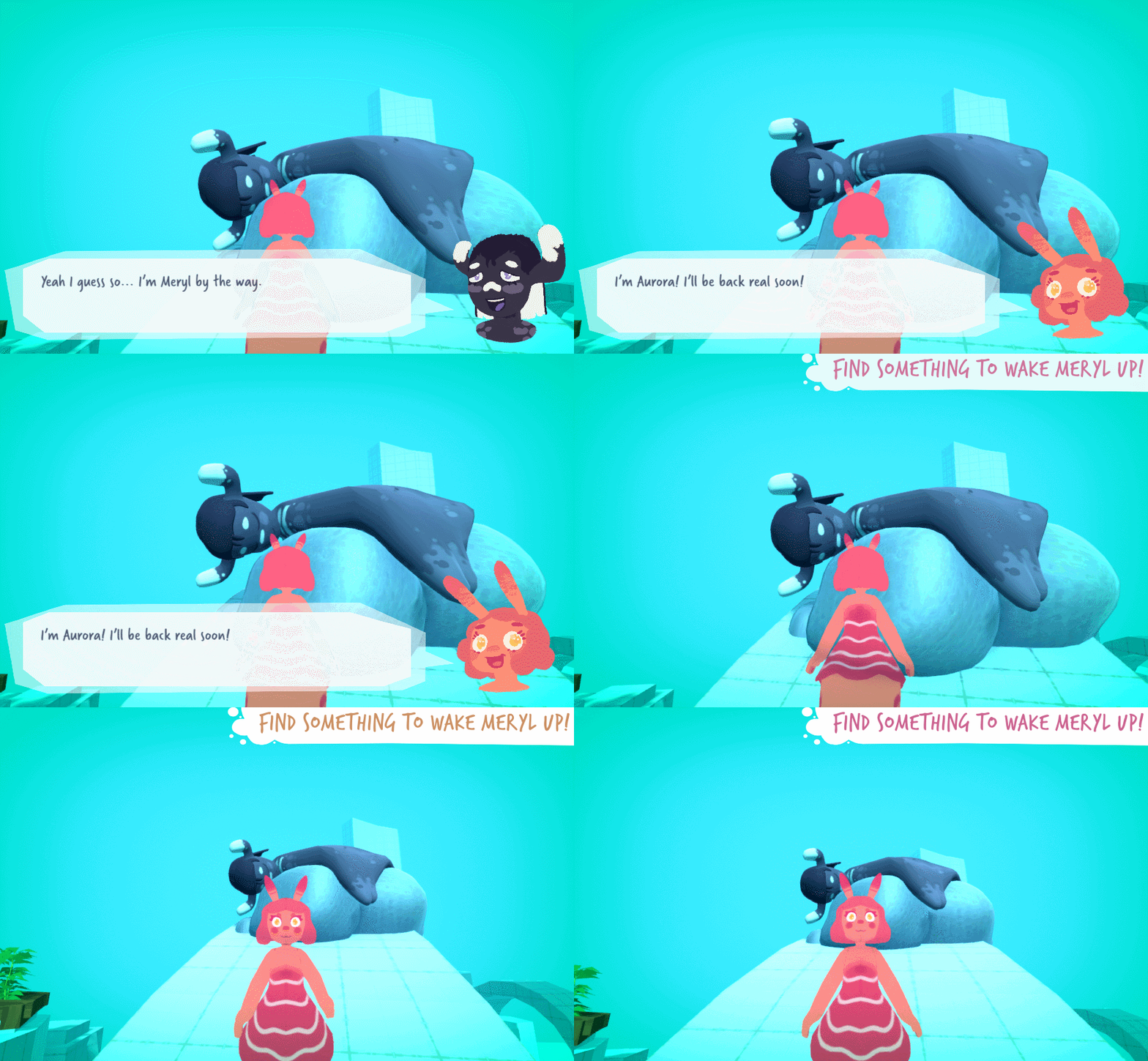
Next I had to get the Bean Icons showing, and write code so the quest could be completed.
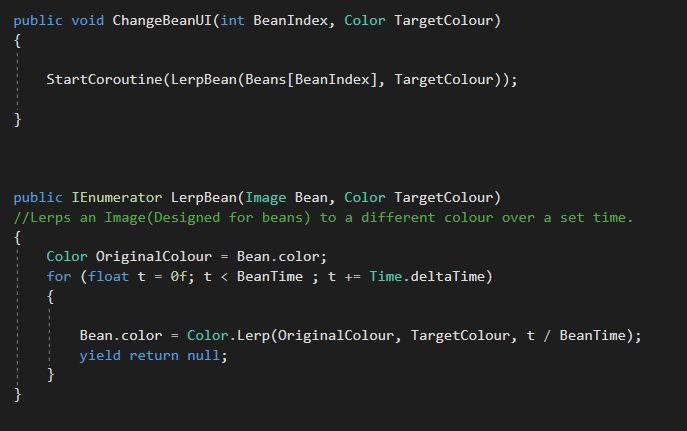
While researching into efficient ways to change the colour of the bean icons. I Realized how much more powerful Coroutine’s are. This enabled me to design the beans colour system very nicely. by creating a simple colour Lerp over time coroutine, and calling it when a bean is picked up by writing a n overridden interaction receiver script for the beans to use as their interaction script. .
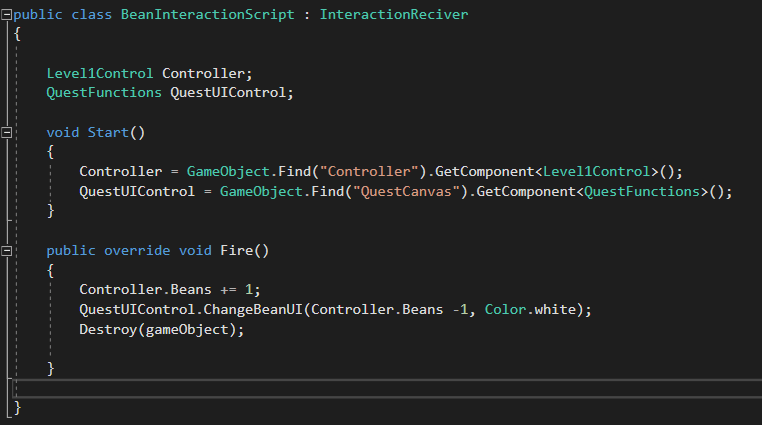
I am embarrassed by my use of the syntax GameObject.Find() as it is very dangerous and can cause a lot of errors if people who do not understand the scripts try to change things. But like discussed before I was running out of time.
This is the function(s) that are called form the UI control script.
I was originally going to implement my new coroutine knowledge for the quest text transition once you have picked up all the beans. But I realized that this method conflicted with my original implementation. So rather than re-writing the original implementation I just used the old method of changing a target opacity, which is being Lerpt towards to every frame.
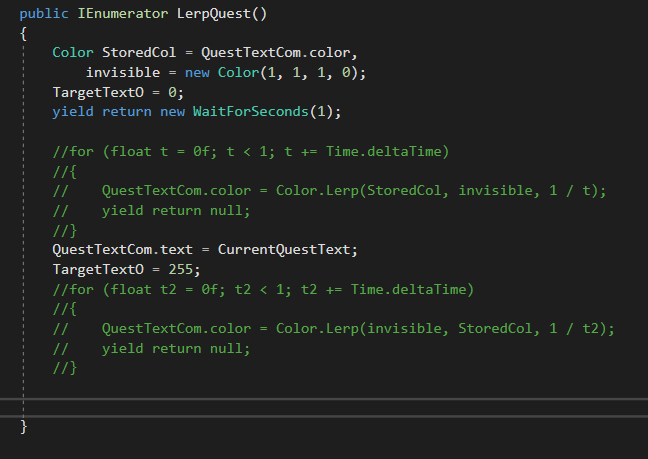
The final thing to change was some minor dialogue updates and then finally to turn off the quest UI once the player talks to Meryl for the final time.
Getting Meryl to say the correct thing once you have all the beans.
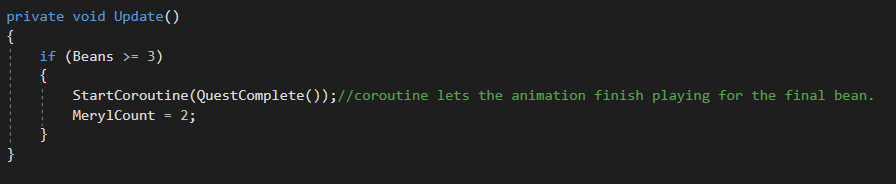
This functions controlling the quest setup runs after talking to Meryl for the first time so allows us put put Doreen on her final piece of dialogue.
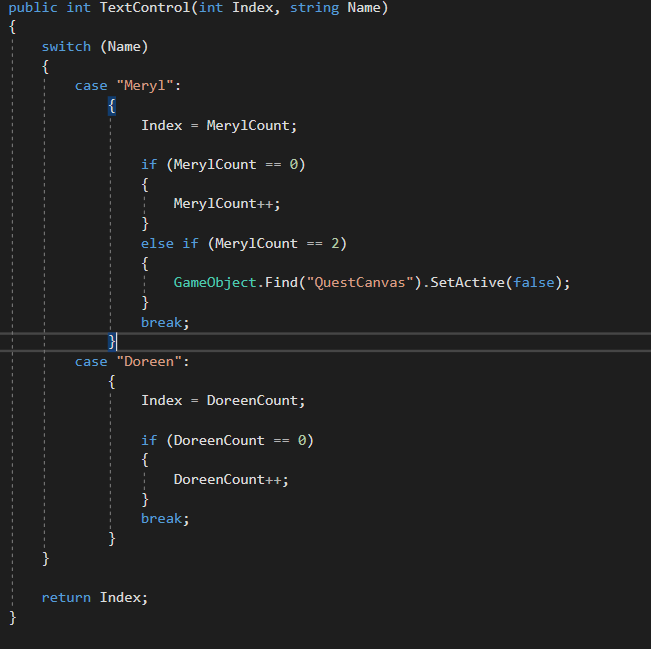
We turn off the Quest finally with this if statement stored in the function the dialogue controller runs when fetching the XML Index.
A final re-iteration that I understand all these implementations make for horribly un-reusable code. Indeed If I have time I will re-design a lot of this architecture to allow for future re-usability. But for now I didn’t know I would have to write this code, and We need it done fast, so here it is!
This is the final result. Not sure why the text transition is not smooth. But we can fix this graphics bug after play-testing.